> ## Documentation Index
> Fetch the complete documentation index at: https://phylaxsystems-docs-project-incidents.mintlify.site/llms.txt
> Use this file to discover all available pages before exploring further.
# dApp Overview
> Overview of the Credible Layer dApp and its role in the Credible Layer stack
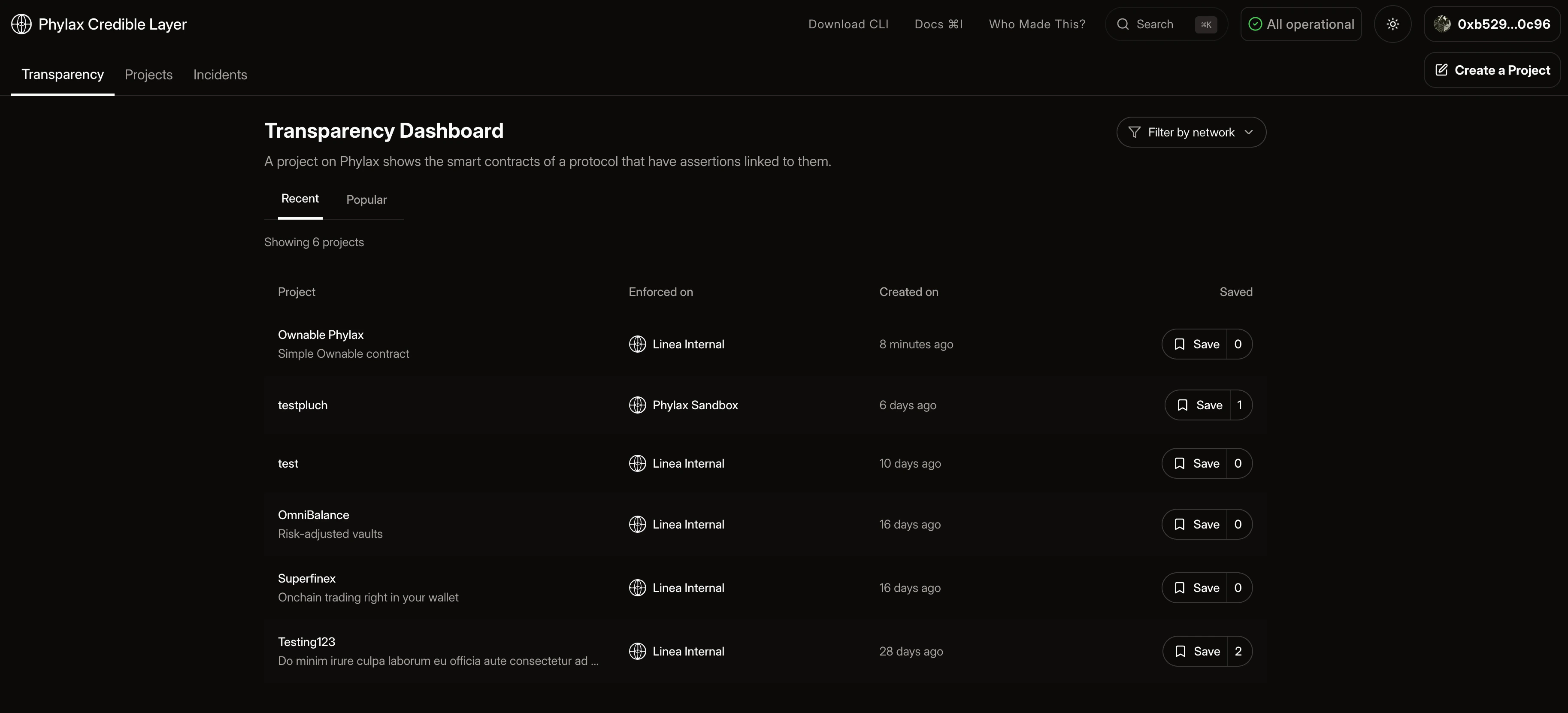
The Credible Layer dApp is the interface for managing assertions and monitoring incidents. Protocol teams use it to create projects, link contracts, and deploy assertions to protect their contracts. When deploying assertions, teams choose between Staging (for testing) or Production (for active protection). Users, investors, and researchers use it to review which assertions protect specific protocols.
When you create a project and deploy assertions through the dApp, those assertions are deployed on-chain. Block builders or sequencers use this registry to validate transactions against your assertions before including them in blocks.
## Core Components
### Transparency Dashboard
The [Transparency Dashboard](/credible/dapp-transparency-dashboard) provides public visibility into all projects and their assertions. Browse, search, and review which protocols are protected and how.
### Projects
The [Projects](/credible/dapp-projects) interface enables protocol teams to create and manage projects, link contract addresses, and associate assertions with their contracts.
### Incidents
The [Incidents](/credible/dapp-incidents) page tracks assertion violations that were prevented, showing when transactions were dropped and which assertions caught them.
 ## Authentication
To use project management features, you need to authenticate through [`pcl`](/credible/cli-reference#auth). The dApp uses a `pcl`-based authentication flow with wallet connection to enable secure access.
Authentication is required to create and manage projects. See the [Deploy Assertions guide](/credible/deploy-assertions-dapp#step-1-authenticate) for step-by-step authentication instructions.
## Key Features
* **Public Transparency**: All projects and assertions are publicly visible
* **Unified Management**: Manage all assertions for your protocol from one interface
* **Incident Monitoring**: Track when assertions prevent violations
* **Verifiable Security**: Users can verify protection before interacting with protocols
## Getting Started
Browse and search all projects and assertions
Create and manage your protocol projects
Step-by-step guide to deploying assertions
Track assertion violations that were prevented
Get started with pcl
Learn how to authenticate with the dApp
Understand ownership requirements
Fallback process for immutable contracts
High-level adoption flow for protocol teams
## Authentication
To use project management features, you need to authenticate through [`pcl`](/credible/cli-reference#auth). The dApp uses a `pcl`-based authentication flow with wallet connection to enable secure access.
Authentication is required to create and manage projects. See the [Deploy Assertions guide](/credible/deploy-assertions-dapp#step-1-authenticate) for step-by-step authentication instructions.
## Key Features
* **Public Transparency**: All projects and assertions are publicly visible
* **Unified Management**: Manage all assertions for your protocol from one interface
* **Incident Monitoring**: Track when assertions prevent violations
* **Verifiable Security**: Users can verify protection before interacting with protocols
## Getting Started
Browse and search all projects and assertions
Create and manage your protocol projects
Step-by-step guide to deploying assertions
Track assertion violations that were prevented
Get started with pcl
Learn how to authenticate with the dApp
Understand ownership requirements
Fallback process for immutable contracts
High-level adoption flow for protocol teams