

For a high-level view of how the dApp interfaces with the rest of the system, see
Interface Overview.
Features
Browse Projects
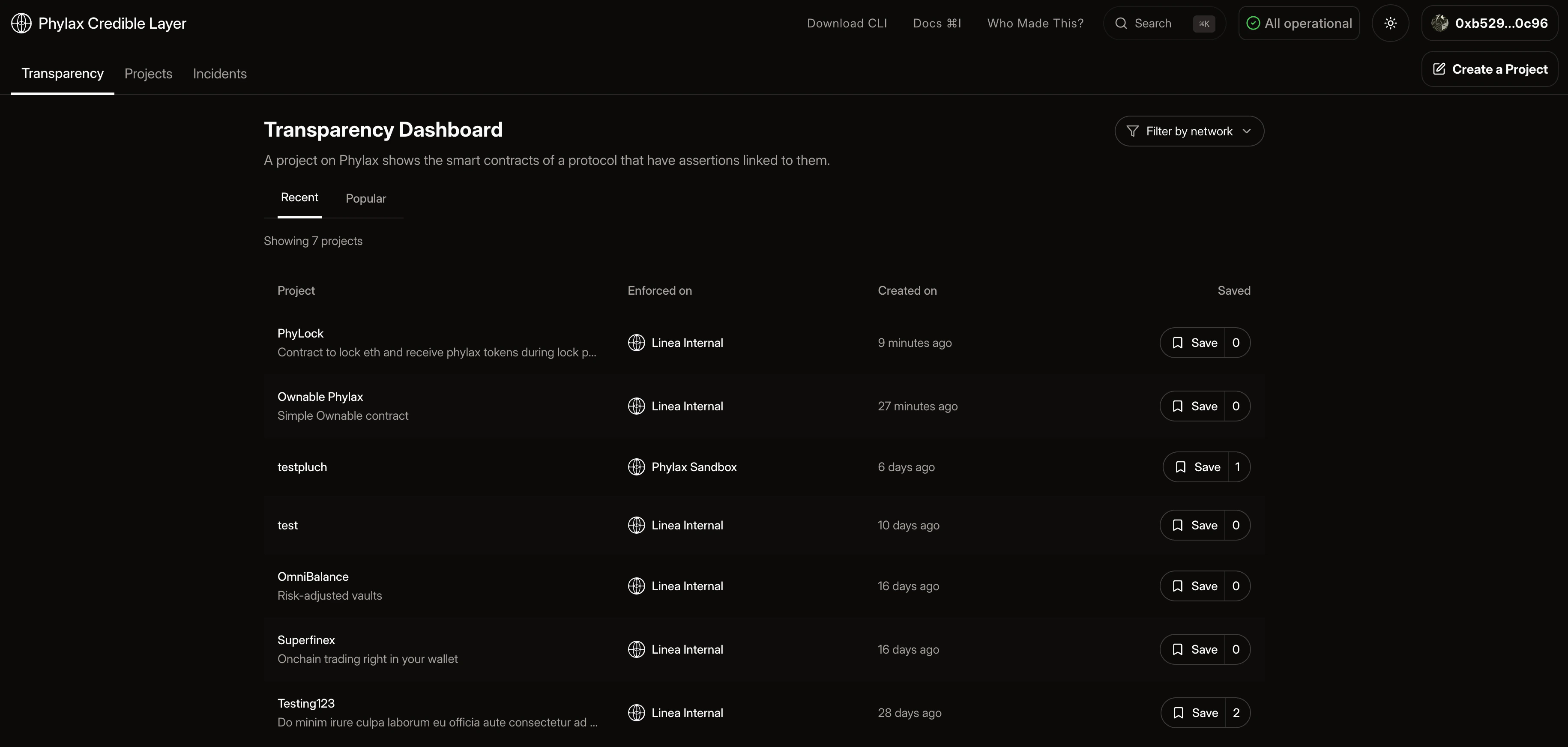
View all projects and their details:- Project names, descriptions, and target chains
- Linked contract addresses
- Active assertions protecting each contract
- Assertion implementation details, trigger conditions, and parameters
- Recent events related to contracts and assertions being added or removed
Search / Filter
- You can search for projects at any time using the search bar in the top right corner of hitting
cmd/ctrl + k - You can filter projects by network
Accessing the Transparency Dashboard
- Click the “Transparency” tab in the navigation bar
- Browse projects
Explorer
Use Cases
For Users and Security Researchers- Verify which assertions protect a protocol before interacting
- Compare security postures across protocols
- Browse assertions from protocols with similar contracts
- Learn from existing assertion implementations
- Copy and adapt assertion patterns for your own protocol
Why Users Trust Protected dApps
- Public registry: Assertions and protected contracts are visible on-chain
- Transparent enforcement: Dropped transactions surface as incidents
- Auditable rules: Assertions are published Solidity, not opaque policy
Next Steps
dApp Overview
Learn more about the dApp
Projects
Create your own project
Incidents
Learn more about incident removal events
Writing Assertions
Learn how to write assertions